Omnisend
IronWiFi and Omnisend Integration:
-
Create an IronWiFi account the first >>> Open an account
-
Follow the provided instructions to set up your AP configuration >>> AP configuration instructions
-
Follow the instructions on how to integrate Omnisend with IronWiFi⬇**
-
**Navigate to your Omnisend account > https://app.omnisend.com/
-
Go to the Store Settings > Apps&API > API Keys
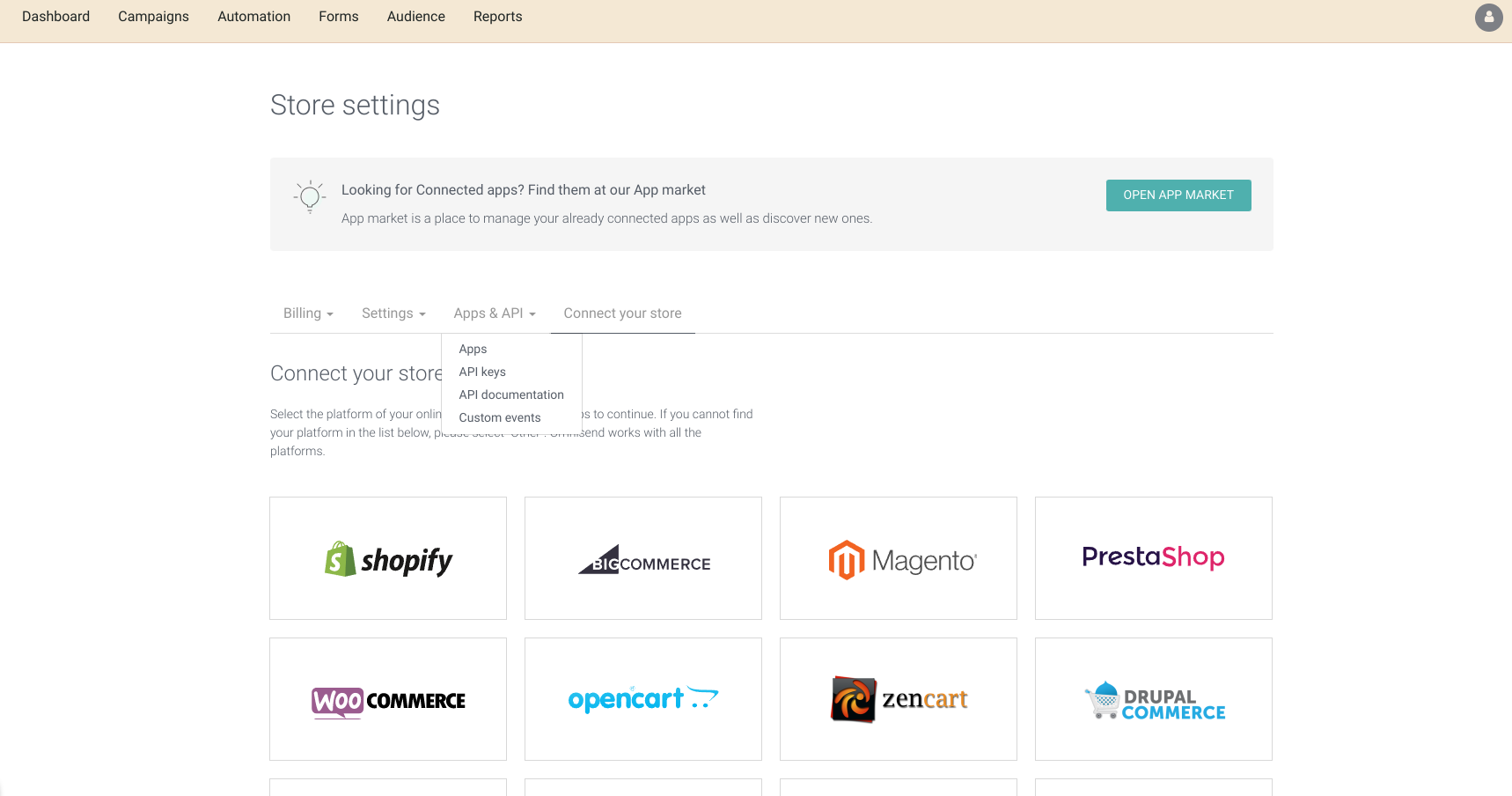
- Click Create API Key
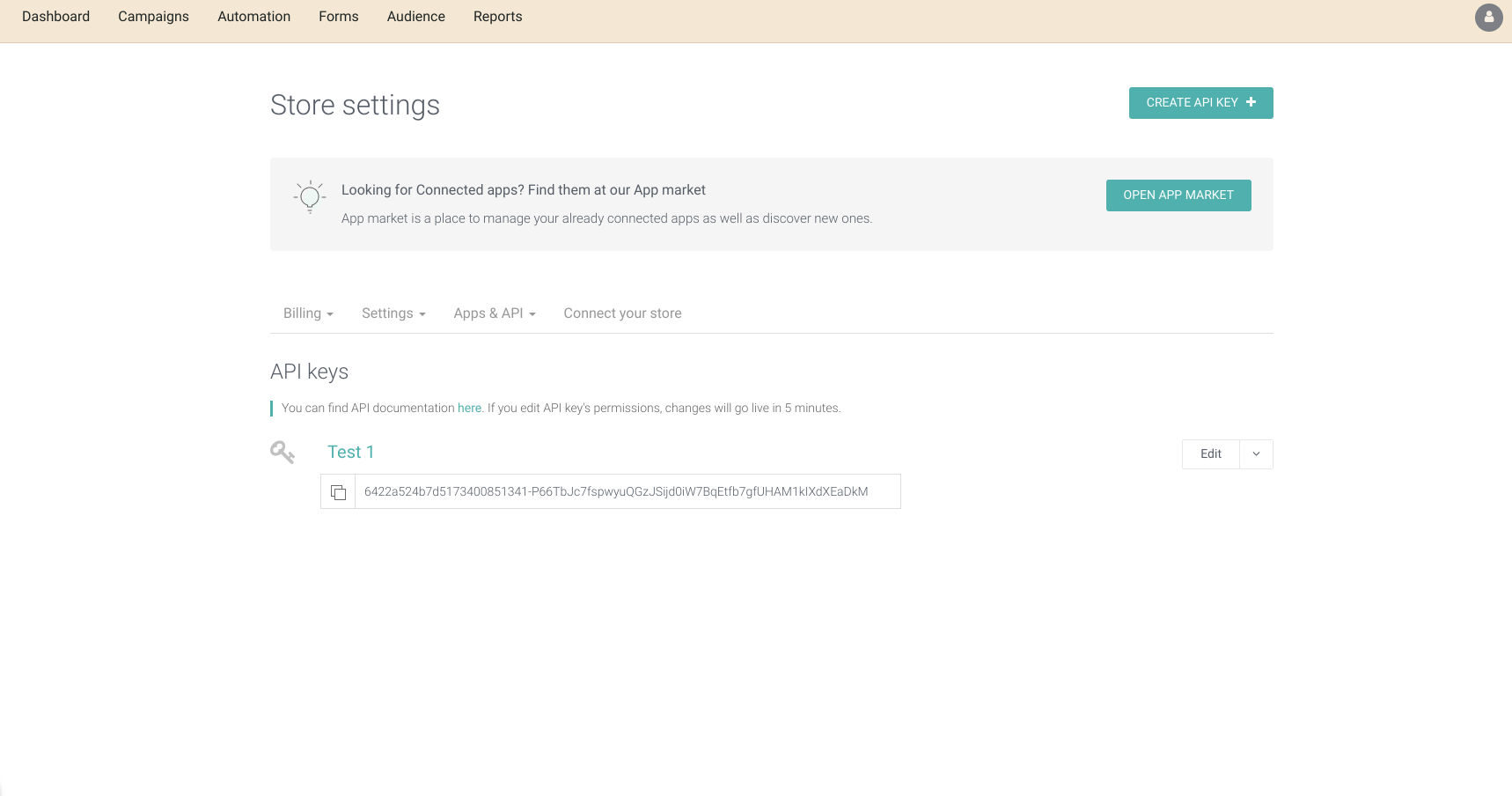
-
Copy your API Key
-
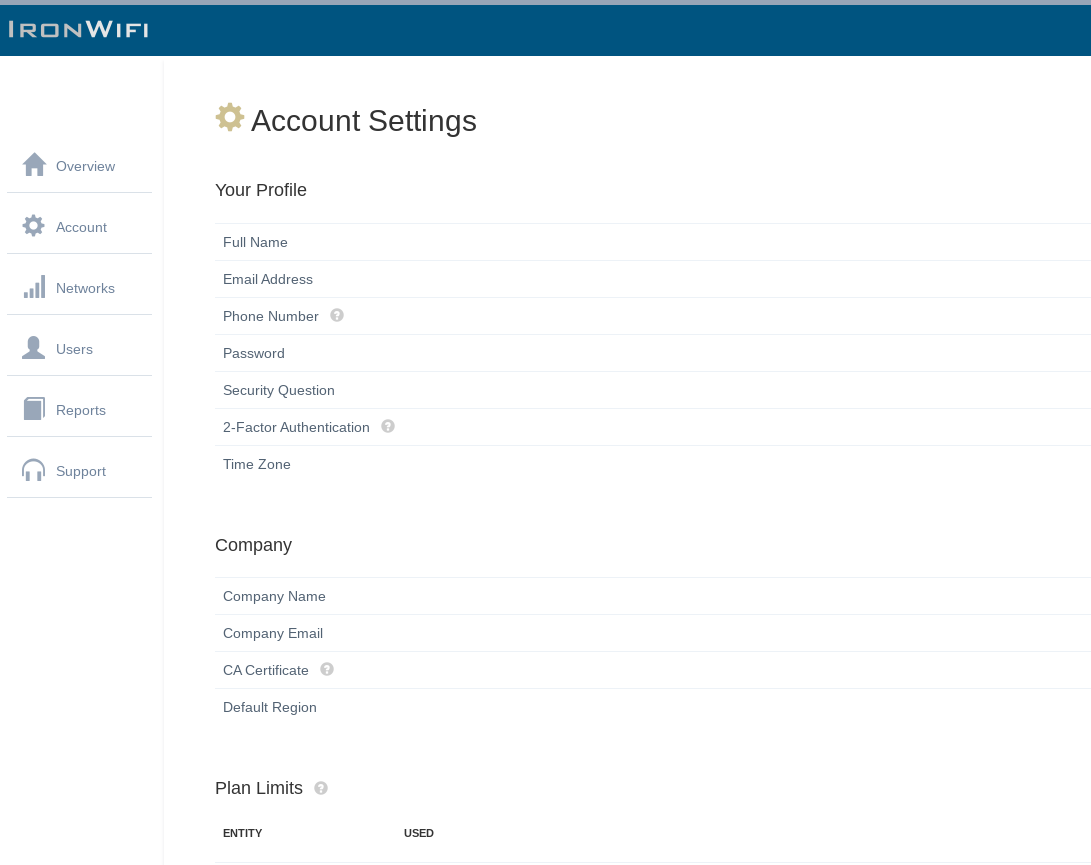
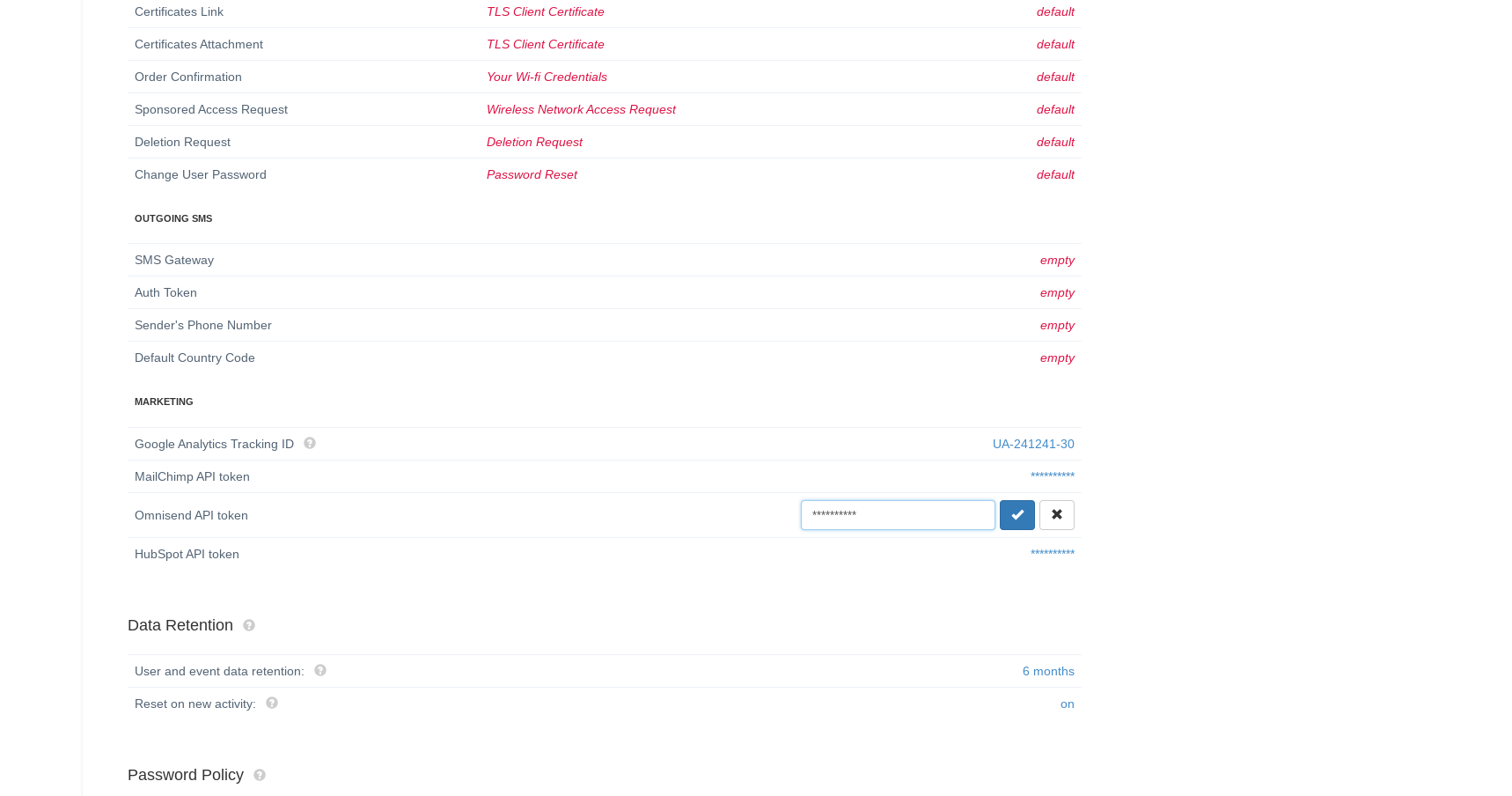
Navigate to IronWiFiConsole> Account settings> scroll down to the Marketing section > insert your API Key
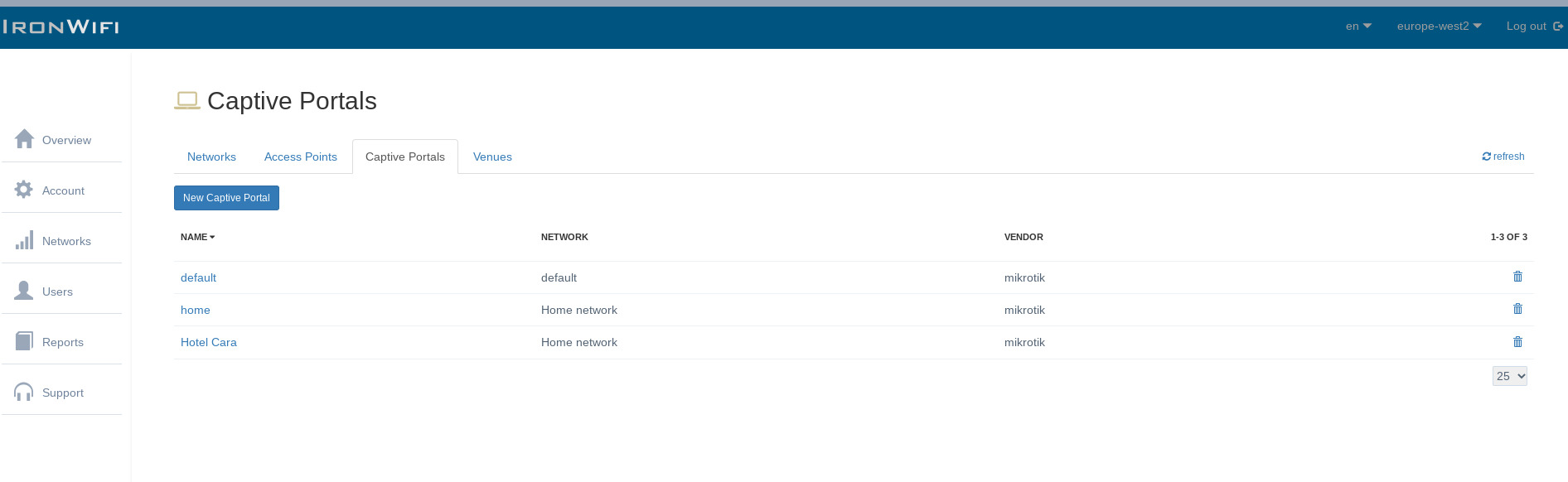
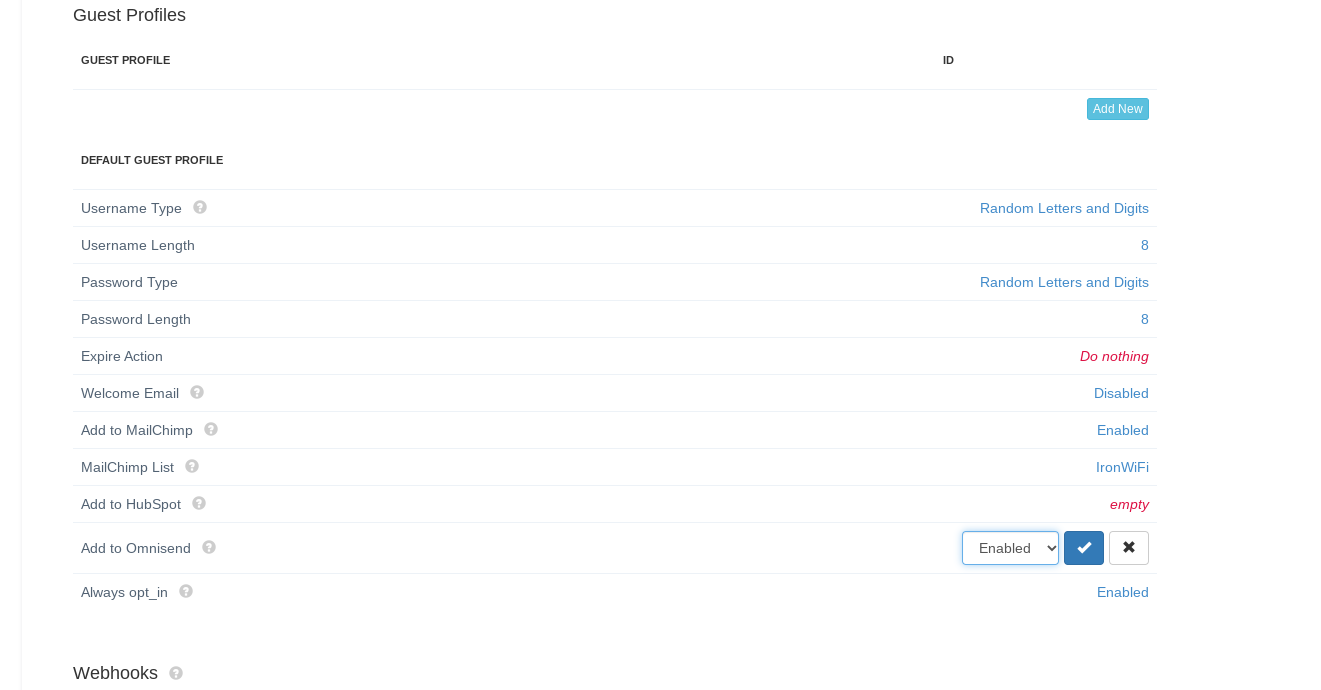
- Next, you will need to enable the integration on the individual captive portals. Go to Networks > Captive Portals > Your Captive Portal > scroll down to the Guest Profiles section and change the "Add to Omnisend" value to Enabled
Related Topics
Was this page helpful?