Twilio Integration
Enable SMS-based WiFi authentication with one-time passwords, phone number verification, and guest notifications using Twilio's messaging platform.
Overview
Twilio integration provides:
- SMS Authentication - One-time passwords via SMS
- Phone Number Verification - Verify guest phone numbers
- Notifications - Send welcome messages or access codes
- Two-Factor Authentication - Additional security layer
Prerequisites
- IronWiFi account with captive portal
- Twilio account (twilio.com)
- Twilio phone number (for sending SMS)
Twilio Account Setup
Create Account
- Sign up at twilio.com
- Verify your email and phone number
- Complete account setup

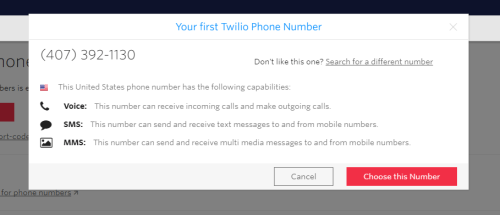
Get a Phone Number
- In Twilio Console, go to Phone Numbers
- Click Buy a Number
- Select a number with SMS capability
- Note the phone number


Get API Credentials
- Go to Account > API keys & tokens
- Copy:
- Account SID:
ACxxxxxxxxxxxxxxxxxxxxxxxxxxxxxxxx - Auth Token: Your authentication token
- Account SID:
IronWiFi Configuration
Step 1: Add Twilio Provider
- Log in to IronWiFi Console
- Navigate to Networks > Captive Portals
- Select your captive portal
- Go to Authentication Providers
- Click Add Provider > Twilio (SMS)
Step 2: Configure Credentials
Enter Twilio details:
- Account SID: Your Twilio Account SID
- Auth Token: Your Auth Token
- From Number: Your Twilio phone number (E.164 format: +1234567890)
Step 3: Configure SMS Settings
Message Template:
Available variables:
- - One-time password
{{code}} - - Network name
{{network}} - - Access duration
{{duration}} - - Code expiration time
{{expiry}}
Settings:
- Code Length: 4-8 digits
- Code Expiry: Time in minutes (default: 5)
- Max Attempts: Limit verification attempts
Authentication Flow
SMS Login Flow
- Guest connects to WiFi
- Captive portal displays phone number input
- Guest enters phone number
- IronWiFi sends SMS via Twilio
- Guest receives code on their phone
- Guest enters code on captive portal
- Code verified, access granted
Implementation
Advanced Configuration
Country Restrictions
Limit SMS to specific countries:
- In Twilio provider settings, find Allowed Countries
- Enter country codes (e.g., US, CA, GB)
- Requests from other countries will be rejected
Rate Limiting
Prevent abuse:
- Max SMS per number per hour: 3
- Max SMS per IP per hour: 10
- Cooldown between requests: 60 seconds
Number Validation
Enable phone number validation:
- In settings, enable Validate Phone Numbers
- IronWiFi uses Twilio Lookup API
- Invalid numbers are rejected before SMS
Two-Factor Authentication
Add SMS as second factor:
Setup
- Configure primary authentication (social login, vouchers, etc.)
- Enable Two-Factor Authentication
- Select Twilio SMS as 2FA method
Flow
- User completes primary authentication
- Prompted for phone number
- SMS code sent
- Code verified
- Access granted
Notifications
Welcome SMS
Send welcome message after authentication:
Expiry Warning
Notify users before access expires:
Testing
Twilio Test Credentials
Use test credentials for development:
- Messages aren't actually sent
- No charges incurred
- Test phone numbers for various scenarios
Magic Numbers
Twilio provides test numbers:
- - Valid number
+15005550006 - - Invalid number
+15005550001 - - Cannot receive SMS
+15005550009
Verify in Console
- Send test SMS
- Check Twilio Console > Monitor > Logs
- Verify message delivery status
Troubleshooting
SMS Not Received
- Verify phone number format (E.164)
- Check Twilio logs for errors
- Verify "From" number can send to destination
- Check for carrier filtering
Invalid Code Errors
- Verify code hasn't expired
- Check for typos
- Confirm max attempts not exceeded
- Try requesting new code
Rate Limit Errors
- Wait for cooldown period
- Check rate limit settings
- Contact support if legitimate usage
Costs
Twilio pricing:
- SMS pricing varies by country
- Typically $0.0075 - $0.05 per message
- Phone number: ~$1/month
- Lookup API: $0.005 per lookup
Estimate monthly costs based on expected guest volume.
Best Practices
- Clear instructions - Explain SMS login process
- Reasonable expiry - 5-10 minutes for codes
- Resend option - Allow code resend after delay
- International support - Consider country restrictions
- Monitor usage - Track SMS costs and abuse
Related Topics
- Authentication Providers
- Captive Portals
- Vouchers - Alternative access method
Was this page helpful?